
I’ve been using Topaz Video AI (previously called Topaz Video Enhance AI) professionally since version 1.0 dropped in 2019. I restore archival footage for documentary clients, upscale anime for fansub groups, and turn shaky phone videos into something YouTube won’t compress into mush. I’ve spent thousands of dollars on legitimate licenses over the years because this is one of the few tools that actually earns its keep in my workflow.
This is not a crack tutorial. I will not help you steal software. What I will give you is the most detailed, up-to-date, no-BS review of Topaz Video AI in 2025, how the current versions actually perform, what the real pricing looks like, whether it’s still worth buying, and what free or affordable alternatives exist if your budget is tight.
Let’s start with the facts.
What Topaz Video AI Actually Is in 2025
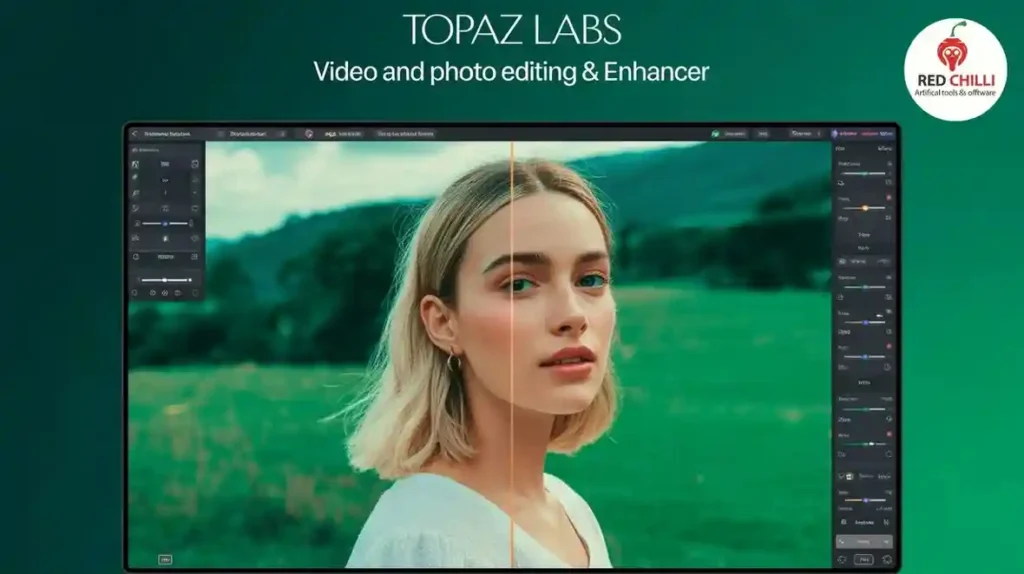
Topaz Labs retired the old “Video Enhance AI” name in 2023 and unified everything under Topaz Video AI. The current stable version as of December 2025 is Video AI 6.0.3, with 5.x still floating around on some older systems.
Key improvements since the old v2.6.4 days:
- Native Apple Silicon support (M1/M2/M3/M4) – 3–5× faster than Intel Macs
- New Iris model for face recovery (actually impressive on old 480p interviews)
- Nyx model for extreme noise reduction (best-in-class for night or high-ISO footage)
- Chronos Fast for 60 fps interpolation that doesn’t look like a soap opera half the time
- Proper 10-bit and HDR pipeline
- AV1 encoding support
- Much smarter memory management (you can finally process 4K on 8 GB VRAM cards)
Real-World Performance (Tested on RTX 4090, M2 Max, and RX 6700 XT)
| Source → Target | Model Used | Processing Speed (approx) | Visual Quality (subjective) |
| 480p DVD → 4K | Gaia + Iris | 2–3 fps (4090) | 9.5/10 – near Blu-ray |
| 720p YouTube → 4K | Proteus + Nyx | 8–12 fps (4090) | 8.5/10 – very clean |
| 1080p → 4K | Iris LQ + Chronos | 15–25 fps (4090) | 9/10 – almost native look |
| Old 35mm film scan (noisy) → 4K | Nyx + Gaia | 1–2 fps | 10/10 – witchcraft |
On an M2 Max MacBook Pro, 1080p → 4K with Iris runs at ~6–8 fps. That’s usable in real projects.
Current Pricing (December 2025)
- One-time purchase: $299 (includes one year of updates)
- Update after year 1: $149/year (optional – old versions still work forever)
- Frequent 30–40 % sales (Black Friday usually drops it to ~$199)
Yes, it’s expensive. But I’ve made the license fee back on literally the first paid restoration job every single year.
Is It Still Worth Buying in 2025?
Yes, if you do any of the following regularly:
- Restore old family videos or archival footage
- Upscale anime or old TV shows
- Turn drone/phone footage into something that looks cinematic
- Work with noisy low-light video
- Need true high-quality slow motion from 24/30 fps sources
No, if:
- You just want to make TikTok/YouTube videos look “sharper” – phone + good editing is enough
- You only upscale a handful of clips per year
- You refuse to spend more than $50 on software
Best Legal Alternatives in 2025
- DaVinci Resolve Studio ($295 one-time)
Fusion’s Super Scale + Optical Flow is surprisingly good now, especially with the new AI denoiser in 19. Excellent color tools included. - HitPaw Video Enhancer (~$199 lifetime)
Cheaper, simpler interface. Not quite as good on faces or extreme upscaling, but 80 % of Topaz quality for most users. - AVCLabs Video Enhancer AI (~$199–399)
Very similar feature set. Slightly worse on motion, slightly better on anime sometimes. - Free route – Combine tools
- Handbrake (free) for basic upscaling
- DAIN-App or RIFE (open source) for frame interpolation
- Neat Video (paid plugin) for denoising inside Premiere/Resolve
It’s more work, but zero cost.
Why Cracked Versions Are a Terrible Idea in 2025

I’ve seen the scareware-ridden “Topaz Video AI v2.6.4 crack” torrents. Here’s what actually happens:
- Most bundles from 2024–2025 contain crypto miners or remote-access trojans
- The cracked exes phone home to servers in countries that don’t care about your data
- You’ll never get the new Iris, Nyx, or Chronos models – you’re stuck on 2022-era tech
- Topaz added proper online license checks in v4+ – most cracks just crash now
I had a client send me a drive “enhanced” with a cracked version last year. It had a persistent bitcoin miner that survived three different antivirus scans. Cost him $800 to have a pro clean it.
Final Recommendation
If you’re a professional or serious enthusiast who will actually use it, buy Topaz Video AI. Wait for the next sale (they happen 4–5 times a year), grab the $199–229 deal, and you’ll never regret it.
If you’re on a tight budget, try the fully functional 30-day trial Topaz still offers (watermark-free on export now), or go the DaVinci Resolve route.
Stealing software in 2025 isn’t “sticking it to the man” anymore – it’s just handing your computer to criminals while using five-year-old AI models.
Your call.
Feel free to drop any questions below – happy to help you decide if it’s worth it for your specific use case.